See it work
Thirteen seconds, the whole idea
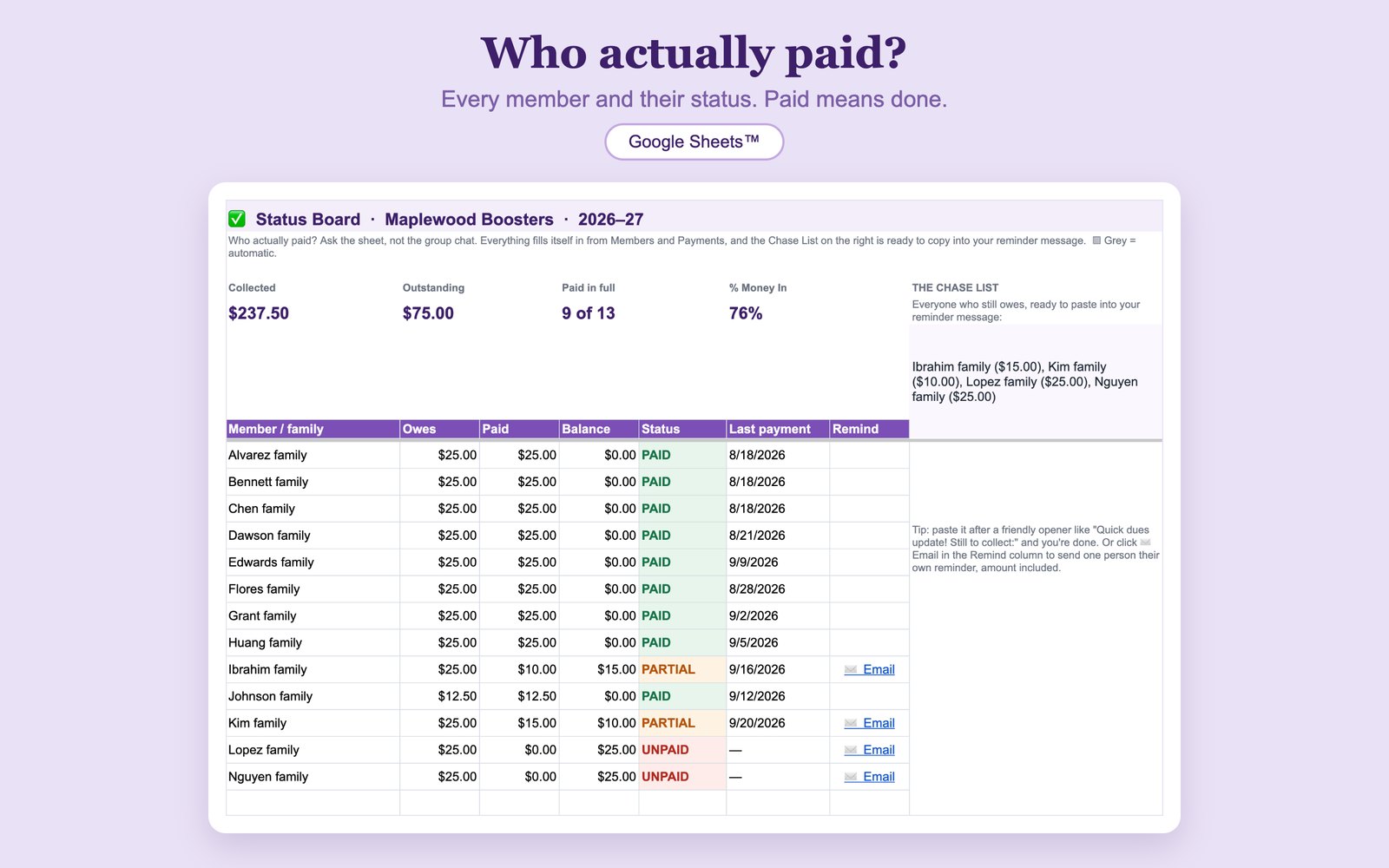
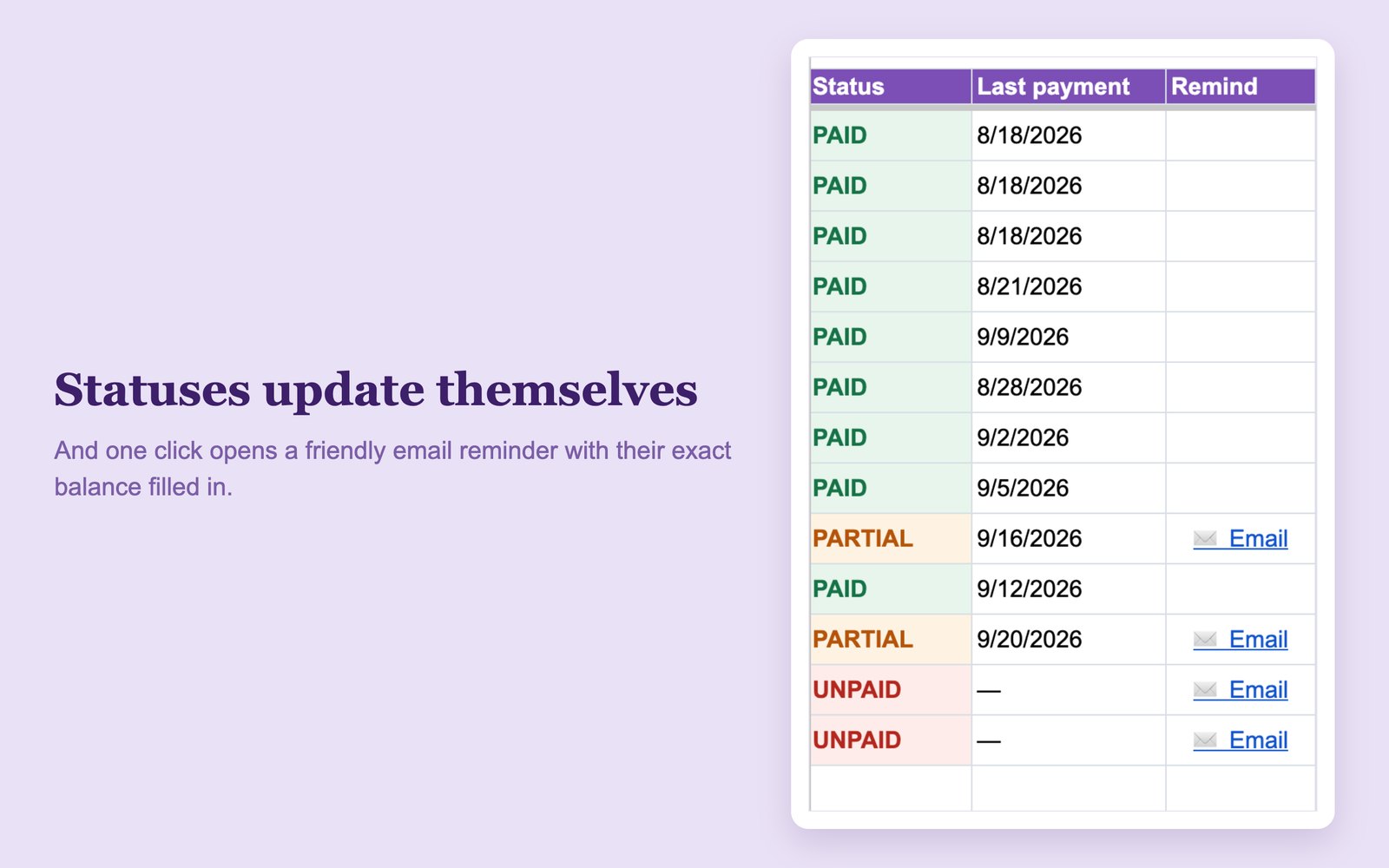
A payment gets logged, and the member's status flips to PAID on its own.
Membership Tracker · For PTA, PTO, Booster Club, HOA & Community Groups
Add your members once. Log payments as they arrive. The Status Board keeps every member's owed, paid, and balance up to date, writes the chase list of who still owes, and opens a friendly email reminder with their exact balance in one click.
Get the Membership Tracker on Etsy →Instant digital download · Works in free Google Sheets™ · Everything in one purchase
See it work
A payment gets logged, and the member's status flips to PAID on its own.
What's inside
Every member's owed, paid, balance, and a color-coded PAID, PARTIAL, or UNPAID status, plus totals for collected, outstanding, and paid-in-full at the top. This is the tab that answers the question.
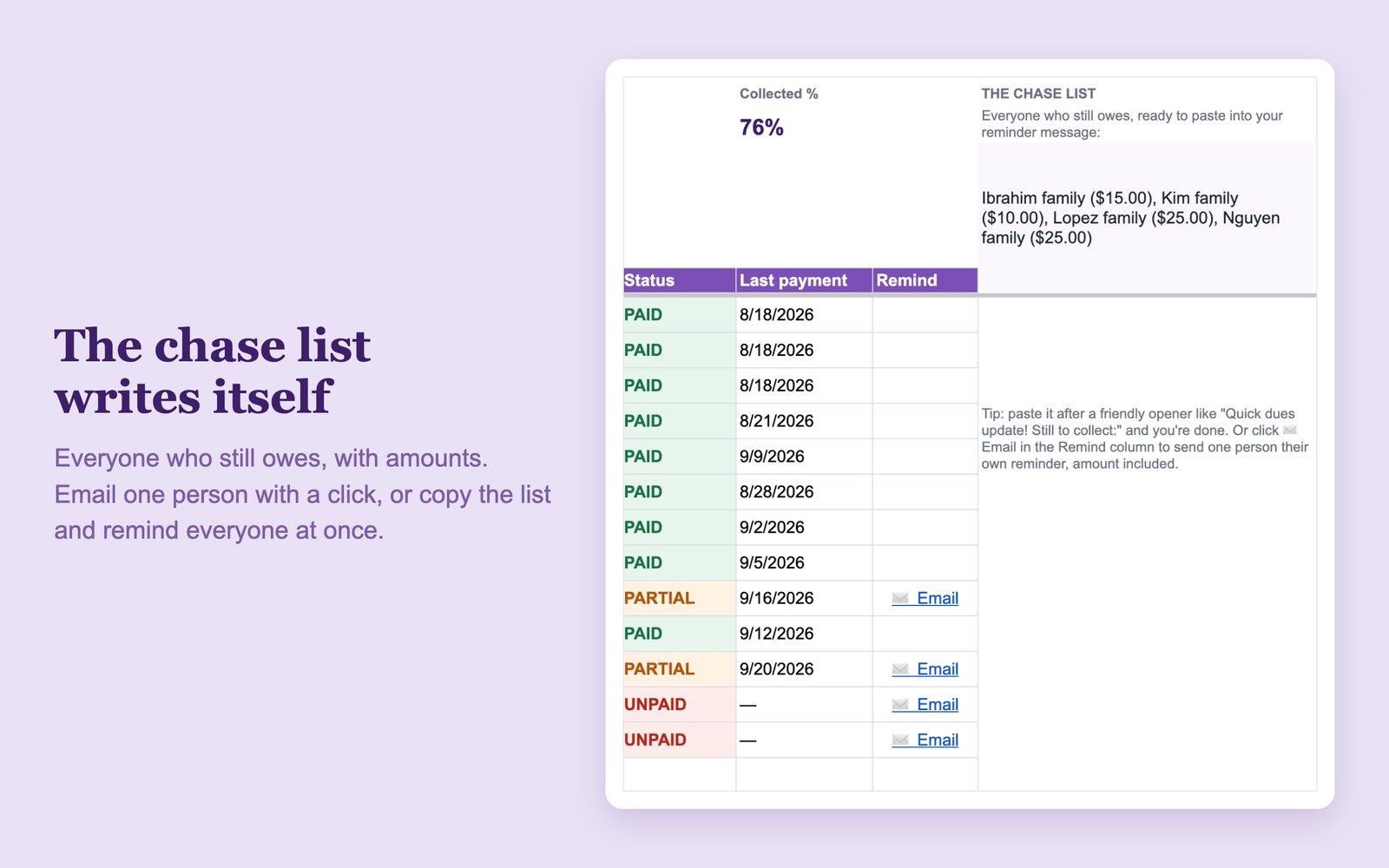
Everyone who still owes, with amounts, in one block ready to paste into your reminder message. When everyone has paid, it tells you to enjoy the silence.
Each member who still owes gets an Email link that opens a pre-written friendly reminder with their exact balance filled in. You read it, you send it. Nothing goes out on its own.
Your roster, one row each, up to 200 members or families. Set the dues amount once; type a different amount only for sibling discounts and scholarships.
One row per payment as money arrives, with member and payment-method dropdowns. Two half payments are two rows, and the board adds them up. Room for 500 a year.
Everything automatic is protected from stray clicks, the parts you type are marked in yellow, and sample data shows it working the moment you open it.
How it works
Instant digital download. Nothing ships.
One click saves your own private copy to Google Drive.
Then just log payments. The board does the rest.
Questions
Instant download · Questions first? Email me. I'm a real person and I answer.
Get the Membership Tracker on Etsy →Wish it did something it doesn't? Tell me what's missing. Those emails decide what I build next.
Handling the whole year's money too? The Treasurer Spreadsheet logs it all, watches the budget, and writes the monthly report. And the Treasurer Binder holds the paper side for meetings and audits.