The double-booking problem
If your Google Form keeps booking two people into the same slot, you're not doing anything wrong. Booking Calendar, one of the most installed booking add-ons in the Google Workspace Marketplace™, has reviews going back years describing exactly this. The cause is a timing bug, and no setting in Booking Calendar can fix it. That's why Slot Booking for Forms™ was built, so double booking can never happen.
The fix · from Marinette
Slot Booking for Forms™
Install free from the Marketplace →No account to create · No website login · Your data stays in your Google account
These are public reviews on Booking Calendar's Google Workspace Marketplace listing, quoted as written.
Booking Calendar review · Workspace Marketplace
"DOUBLE BOOKING all over the place. Big headache. I specified no more than 1 person per event, but the slots just stay available and people keep on piling on to the same slots..."
Booking Calendar review · Workspace Marketplace
"This will allow multiple people to select the same date / time, and only one of them will be able to be 'approved' to be booked on the Google Calendar for that given time."
Booking Calendar review · Workspace Marketplace
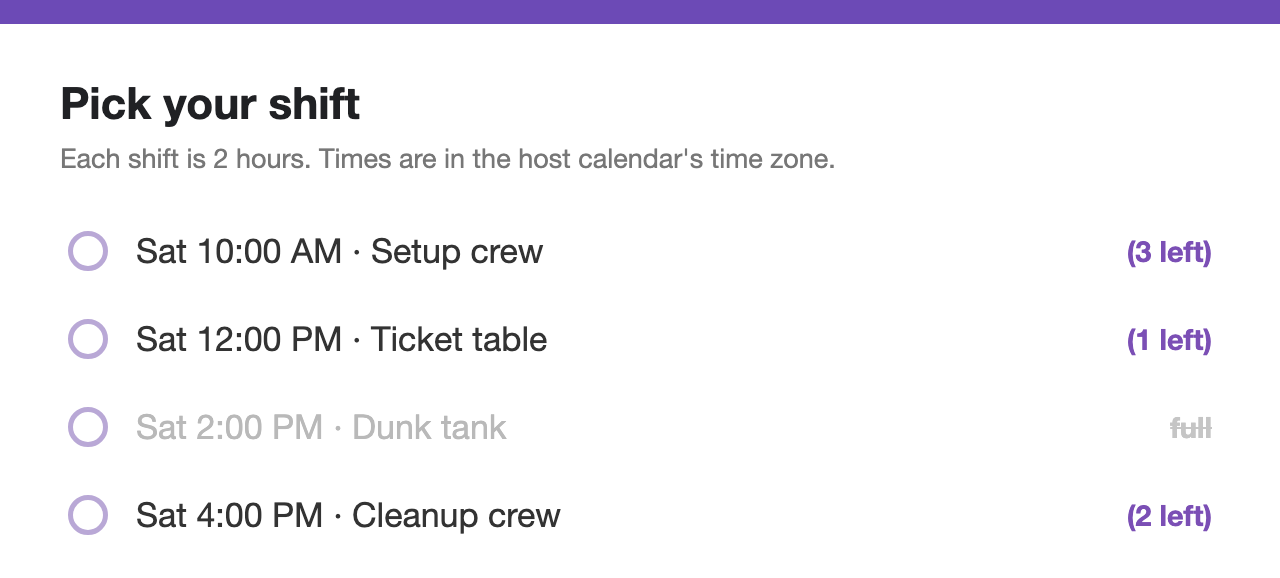
"My only issue is only 10 events show on my google form. I need all events to show."
The newest of these is from late 2023. They're quoted here because they're still what the Marketplace ranks as the most helpful reviews on the listing today, and because three years apart they tell the same story: the capacity setting exists, and the slots stay open anyway. That pattern is the signature of one specific kind of bug.
Two people, one spot, one second apart
How slots double-book
Person A submits. The add-on checks the slot: one spot open.
Person B submits. A's booking hasn't been written yet, so the check still sees one spot open.
Both bookings are written.
How Slot Booking for Forms™ works
Person A submits. The spot is checked and claimed as a single step. The slot is now full.
Person B submits. The slot is already full, so nothing is written.
Person B gets an email right away: that time was just taken.
This is why no setting fixes it. The capacity number was never wrong; it was read a moment before it changed. The only cure is to make checking and claiming a single step, and that has to be built into the add-on's core. Slot Booking for Forms™ counts bookings on the calendar itself, so the form can never promise a spot it doesn't have. If two people race for the last spot in the same second, exactly one gets it.
Side by side
| Booking Calendar | Slot Booking for Forms™ | |
|---|---|---|
| Two people race for the last spot | Reviewers report both get booked | ✓ Exactly one gets it; the other is emailed right away |
| Capacity per slot | A setting reviewers report isn't enforced | ✓ Enforced at the moment of submission, 1 to 50 spots |
| Times shown on the form | Reviewers report a 10-event limit | ✓ Up to 250, later times rotate in as slots fill |
| Slots update on their own | A reviewer reports refreshing by hand | ✓ The form updates itself as slots fill, pass, or reopen |
| Price | Free of charge with paid features | ✓ Free in early release. No caps, no card, no account |
The Booking Calendar column reflects its own Marketplace listing and the public user reviews quoted above, as of July 22, 2026.
Free while Slot Booking for Forms™ is in early release. No card, no account to create.
Install Slot Booking for Forms™ free →FAQ
Most likely a race condition: the add-on checks whether a slot is open and writes the new booking as two separate steps. If two submissions land close enough together, both checks can see an open slot before either write finishes, so both go through even though the slot should have closed after the first one. The fix is to make the check-and-write a single atomic step, which is how Slot Booking for Forms™ enforces capacity.
A Google Form's dropdown can hold up to 250 choices. Slot Booking for Forms™ uses that full range: it shows the soonest times first, and as those fill or pass, the next times waiting in line take their place automatically. Nothing is capped at a fixed number.
Not if capacity is enforced atomically at the moment of submission. A manual approval queue is a workaround for an add-on that can't guarantee capacity on its own. Slot Booking for Forms™ enforces the limit at submit time, so there's nothing left to approve after the fact.
Yes. Slot Booking for Forms™ is a free add-on that does the same job: it turns a Google Form into a booking form with real capacity per slot. The difference is in how bookings are counted. Capacity is checked and claimed in one step at the moment of submission, so a full slot closes itself and the same spot can't be given out twice. It's free in early release, with no card and no account to create.
They're public and unedited, quoted from Booking Calendar's own listing on the Google Workspace Marketplace, dated as shown. Slot Booking for Forms™ is an independent add-on made by Marinette and isn't affiliated with Booking Calendar or its developer, Apps Vietutd.
Reviews quoted above are public excerpts from Booking Calendar's Google Workspace Marketplace listing, viewed July 22, 2026. Booking Calendar is a product of Apps Vietutd and is not affiliated with Marinette.
Still have a question? I'm happy to help.
Email support@getmarinette.com