The response limit problem
There's one switch, Accepting responses, and it's yours to flip by hand. Nothing in Forms watches the count for you, and when you do turn it off, it's off for everyone. That's fine for a survey with a ceiling. It isn't what you need when you're taking sign-ups for six different times and only one of them is full.
The fix · from Marinette
Slot Booking for Forms™
Install free from the Marketplace →No account to create · No website login · Your data stays in your Google account
Open the Responses tab and there's a switch marked Accepting responses. Turn it off and the form stops taking answers, and everyone who opens the link from then on sees that it's closed. That's the whole feature.
Two things follow from it. The first is that somebody has to be watching. Forms won't count to thirty for you and shut the door at thirty, so the switch gets flipped late, usually after the person you have to turn away has already submitted. The second is that it's all or nothing. There's one switch for the entire form, not one per question and certainly not one per answer.
Add-ons can take the watching off your hands. Several will close a form once a total is reached, or at a date and time you set. If your problem really is a ceiling, one of those is a good answer and you should use it.
Most people asking how to limit responses aren't running a survey with a ceiling. They're running parent-teacher evenings, tutoring hours, clinic appointments, market stalls, shift rotas. The question isn't how many altogether. It's how many at four o'clock.
A total cap can't answer that. Set it to thirty and the whole form closes at thirty, even though five of your six times still have room. Set it higher and forty people put themselves down for the four o'clock that seats six. Either way you spend an evening rearranging a spreadsheet and sending apologies.
What's missing isn't a bigger limit. It's a limit that belongs to a time rather than to the form.
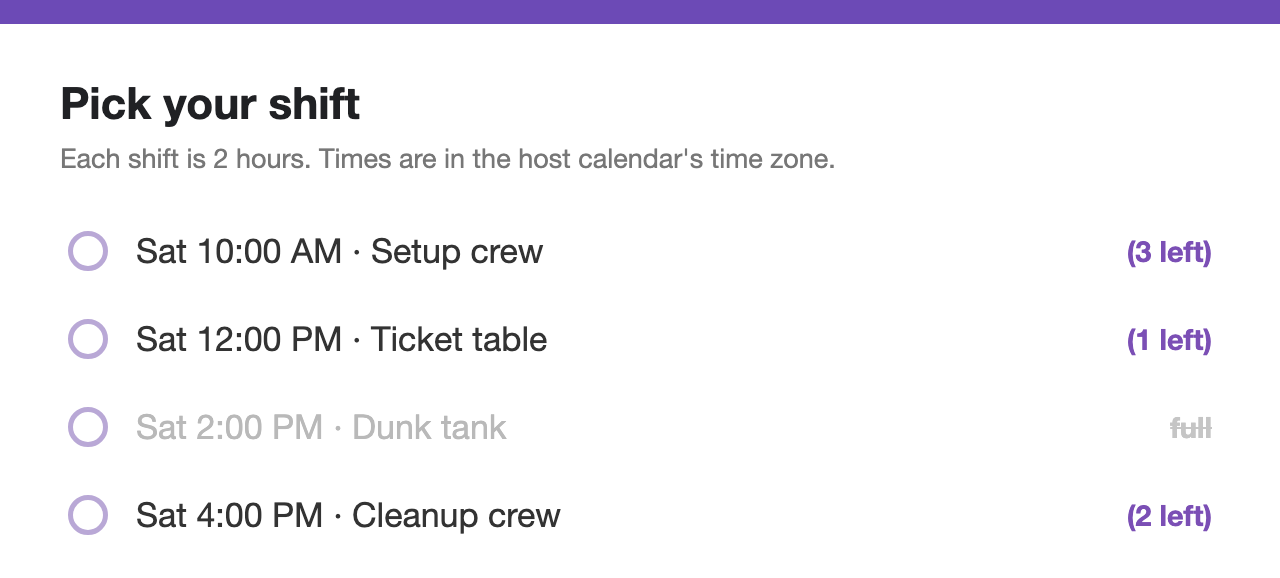
Six times, six spots each, one form
What a total does
Four o'clock is now full. The form doesn't know that, so it keeps offering four o'clock.
Eight more people have picked four o'clock. Nobody has told them anything is wrong.
The total is reached. The form closes, including the two times that were still half empty.
How Slot Booking for Forms™ works
Four o'clock reaches its sixth spot and takes itself off the form. The other times stay open.
Everyone still choosing is choosing from times that genuinely have room.
The last spot goes. Anyone who submits a second late is emailed straight away.
The capacity is yours to set, anywhere from 1 to 50 spots on a time. It's checked and claimed in a single step at the moment someone submits, which is what stops the same last spot going to two people who pressed the button in the same second. Why that single step matters, and how booking forms double-book without it →
Side by side
| Accepting responses switch | A total-count add-on | Slot Booking for Forms™ | |
|---|---|---|---|
| Who watches the count | You do | The add-on | ✓ The form itself, per time |
| What closes | The whole form | The whole form | ✓ Only the time that filled |
| Six spots at 4pm, six at 5pm | Not possible | Not possible | ✓ 1 to 50 spots on each time |
| Two people, one last spot | Both get in | Both can get in | ✓ Exactly one, the other is emailed |
| Times shown | All of them, full or not | All of them, full or not | ✓ Full ones leave, later ones rotate in |
| Price | Free | Varies | ✓ Free in early release |
The Accepting responses switch is the control on the Responses tab of every Google Form. Third-party limiter add-ons vary; check the listing of whichever you're considering. Compared as of July 24, 2026.
Free while Slot Booking for Forms™ is in early release. No card, no account to create.
Install Slot Booking for Forms™ free →FAQ
On its own, Forms gives you one control: the Accepting responses switch on the Responses tab. Turn it off and the form closes for everyone. There's no built-in setting that closes it once a number is reached, so somebody has to watch the count and flip the switch.
Add-ons will close a whole form at a total or on a date. What none of that does is hold a number of spots for one particular time, which is usually what people are really after.
Not by itself. The switch is manual and all or nothing. A third-party add-on can close the form once a total is reached, but then it's shut for everybody, including the times that still had room.
A total can't do it, because a slot isn't the form. Slot Booking for Forms™ gives each time its own capacity, from 1 to 50 spots. A time that fills leaves the form on its own and the rest stay open.
They're emailed right away to say that time was taken, instead of finding out on the day. The spot goes to whoever claimed it first, and exactly one person holds it.
Free in early release, with no card and no account to create. It installs from the Google Workspace Marketplace™ and runs inside your own Google account. The product page has the rest of what it does.
Still have a question? I'm happy to help.
Email support@getmarinette.com