Receipts at tax time
Saving a receipt takes a second. Finding it takes an afternoon. A year of receipts saved without a naming rule is not a filing system, it's a second inbox, and the deduction you can't produce a receipt for is a deduction you don't get to take. Two decisions fix it, and neither of them is a filing cabinet.
The fix · from Marinette
Receipt Organizer for Gmail™
Install free from the Marketplace →No account to create · No website login · Your data stays in your Google account
Looking for the mechanics instead? How to save a Gmail™ receipt to Google Drive →
Almost nobody loses receipts by throwing them away. They lose them by saving them somewhere that can't answer a question later.
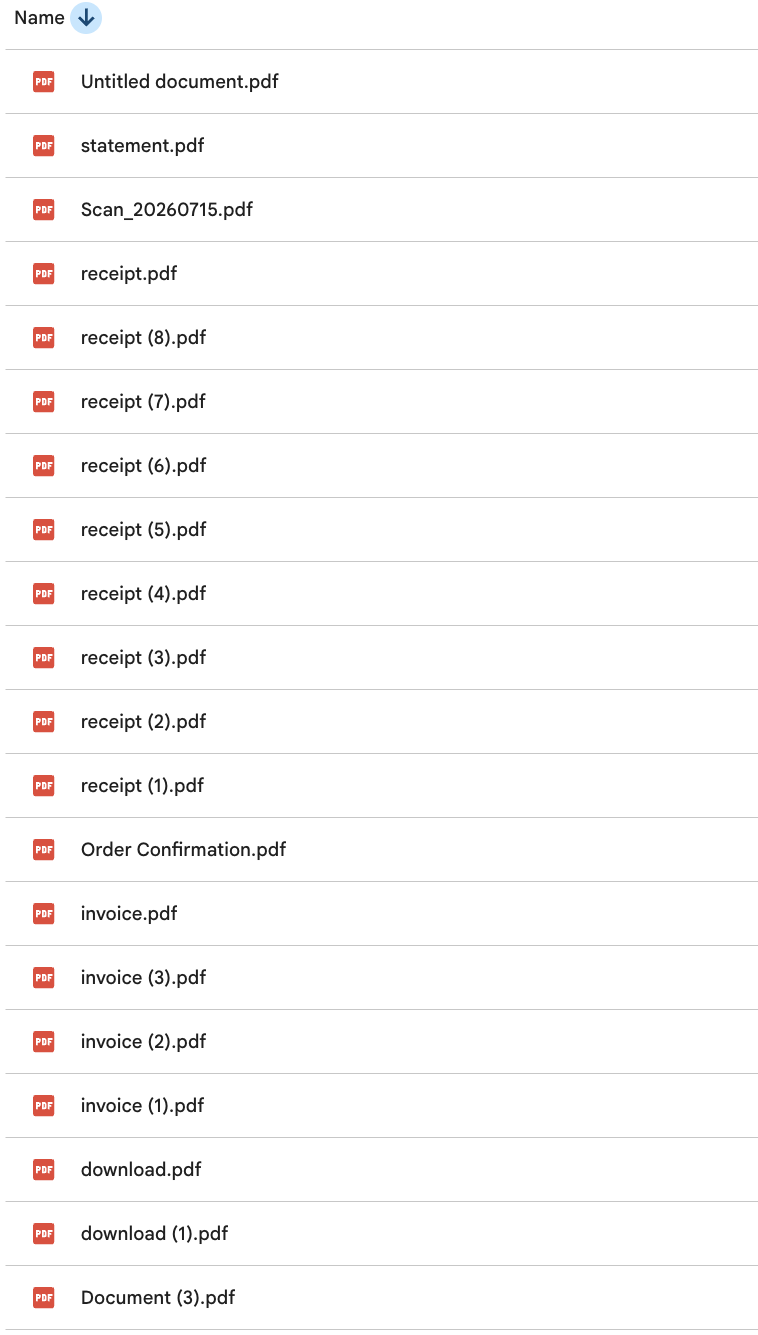
There are only two failure modes and they compound. The first is that the file has no useful name, because it arrived carrying whatever the sender's billing system called it, which is usually receipt.pdf. The second is that it has no fixed home, so it sits in Downloads, or in the root of Drive, or in a folder made in a hurry in February and never used again.
Either one alone is survivable. Together they mean the only way to find a receipt is to remember the email it came from, which puts you back in Gmail searching, which is the exact work the filing was supposed to save.
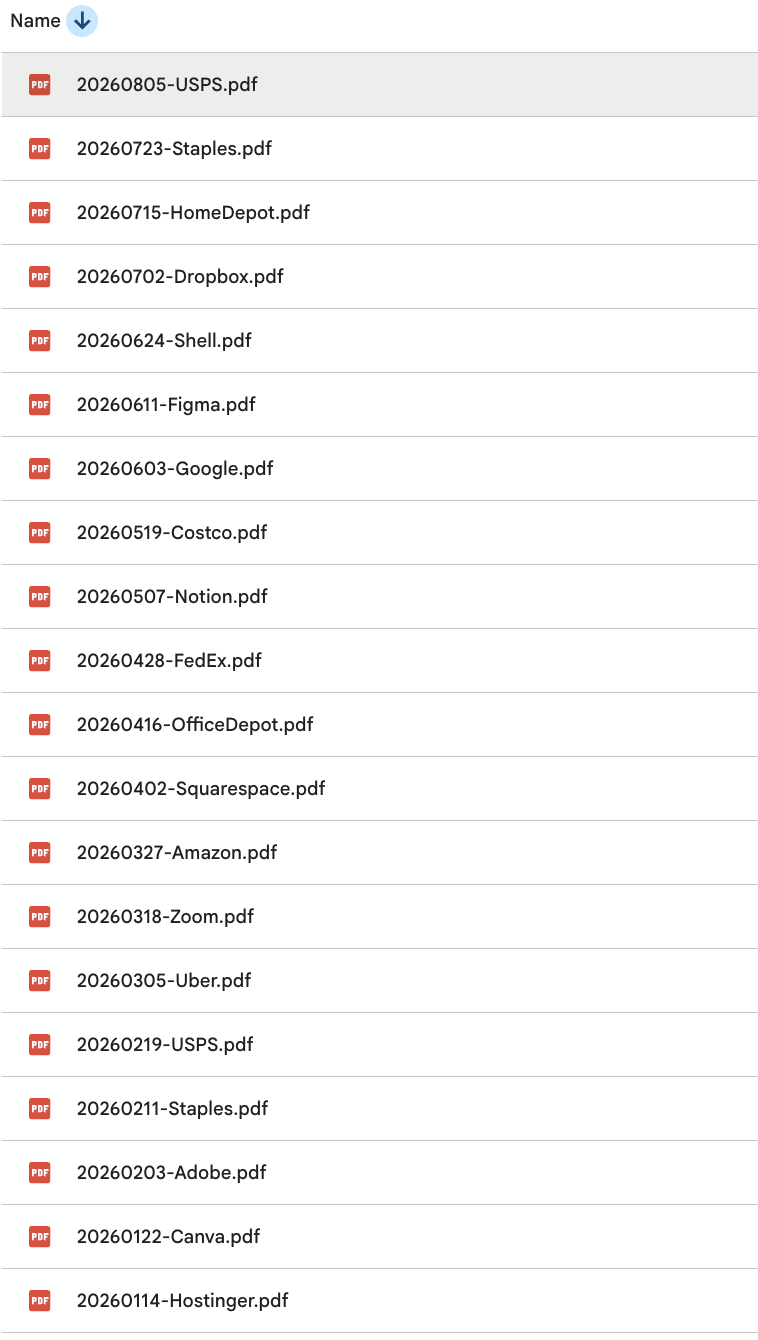
When someone asks about a receipt, they ask one of two things: when was this and who was it from. So those are the two things that belong in the filename, in that order.
The date has to lead. Written as 01-14-2026 the folder sorts every January together across every year you've been in business, which is worse than not sorting at all. Written as 20260114 it can only sort one way, and that way is right.
The temptation is to file by category: software here, travel there, supplies in a third place. Resist it, because it moves a decision to the worst possible moment. Saving a receipt takes a second right up until it requires a judgment call, and a receipt filed under the wrong category is functionally lost.
Keep it flat. A folder called Receipts, a folder inside it for each year, and the date-first filenames doing the sorting. Categories belong in your expense spreadsheet, where a category is one cell you can change in two seconds when you realize it was wrong.
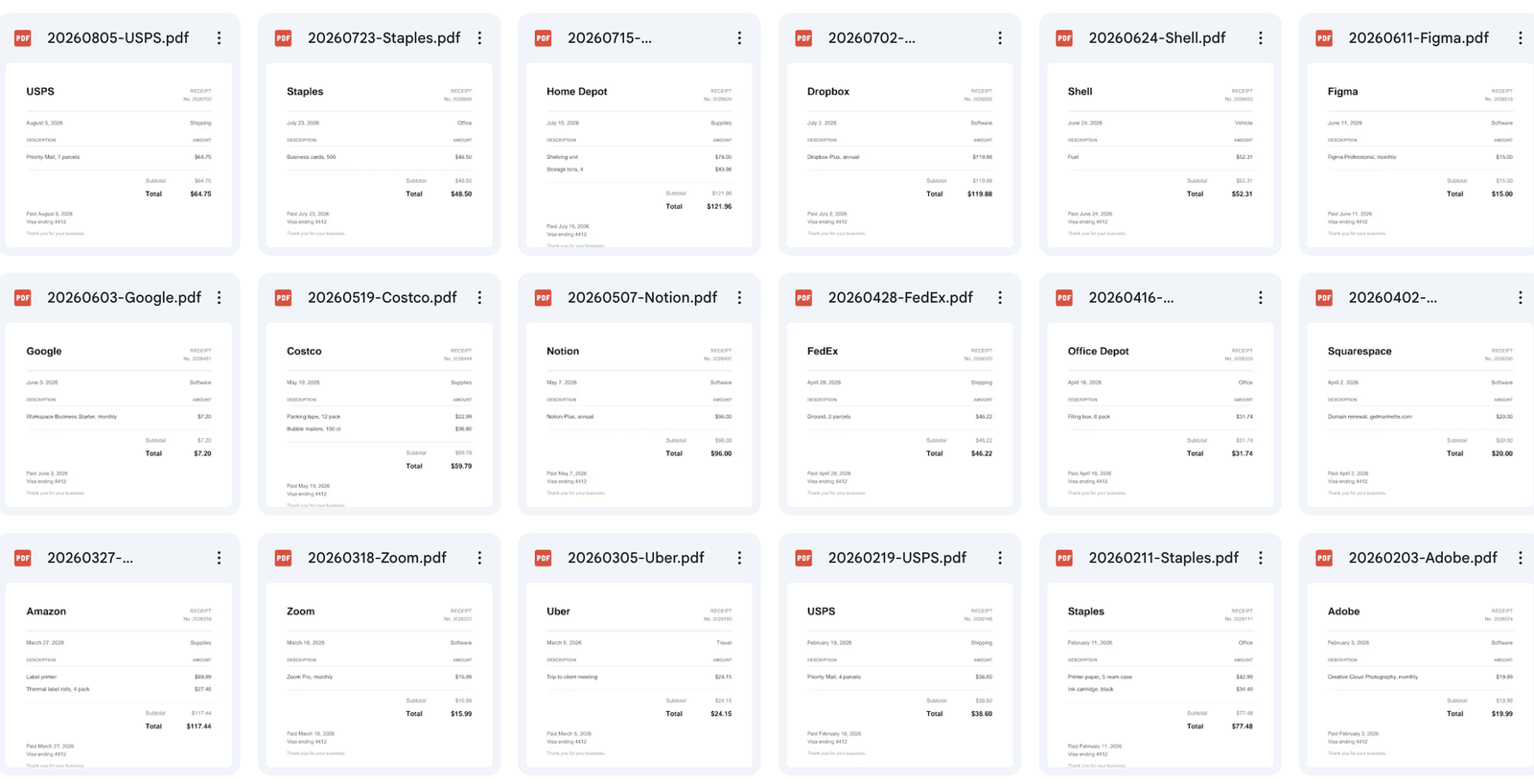
The email your accountant sends in March
A folder of receipt.pdf

Date and vendor, every time

The rule only works if it survives a whole year of being applied by a tired person on a phone. That's the argument for having something else apply it: Receipt Organizer for Gmail™ names and files every receipt the same way in one tap, including the ones with no attachment to save, and checks the folder first so the same email doesn't land twice.
Side by side
| Photos on your phone | Save and rename by hand | Receipt Organizer | |
|---|---|---|---|
| Finding one in March | Scroll the camera roll by date you half remember | Works, if you never skipped a rename | ✓ Search the vendor |
| Naming | IMG_4471.HEIC | Whatever you typed that day | ✓ Date and vendor, every time |
| Sorting | By the day you photographed it | However the names happen to sort | ✓ Chronological, permanently |
| Email receipts with no attachment | Screenshot, and hope it's legible | Print, Save as PDF, rename, move | ✓ One tap, PDF of the email |
| Effort per receipt | Low, until you need one back | Five steps, every single time | ✓ One tap |
| Survives a busy month | The photos do, the order doesn't | This is the one people abandon | ✓ Nothing to remember |
A named receipt in a dated folder is half the job. The other half is that the expense on your books and the receipt behind it can find each other, because at tax time you work from the list of expenses, not from the folder.
The link is the join. Save the receipt, copy its Drive link into the Receipt column of your expense sheet, and the row carries its own proof. Expense Tracker for Sheets™ has that column built in, and each category it offers is tied to the Schedule C line it belongs on, so the year arrives already sorted by line instead of as a pile to sort in April. If you're deciding which line something goes on, that's here: every Schedule C expense line, and what belongs on it →
Thermal paper fades, and it tends to fade fastest in a wallet or a hot car, which is where receipts live. A till receipt from March can be genuinely blank by the time anyone asks about it, so treating the paper as the record is a slow way to lose one.
Photograph it and name the photo the same way as everything else, date first and then the vendor, into the same year folder. The point of one naming rule is that it doesn't matter where a receipt came from. Paper, email attachment, or an email with no attachment at all, they all end up sorted next to each other.
The IRS ties record retention to the period of limitations on the return the record supports, which is generally three years. It runs longer in specific situations: three years from filing or two years from paying, whichever is later, if you file a claim for a credit or refund after filing; seven years for a claim from worthless securities or a bad debt deduction; six years if you under-report income by more than 25% of the gross income shown on the return; and indefinitely if you file no return at all or a fraudulent one. Employment tax records are kept at least four years after the tax is due or paid.
In practice, digital receipts cost nothing to keep, so the retention rule matters less than the naming rule. A folder per year means the year that ages out is the year you can delete, if you ever bother.
Receipt Organizer for Gmail™ is free. No card, no account to create.
Install Receipt Organizer free →FAQ
Date first, then vendor: 20260114-Hostinger. The date in YYYYMMDD order means the folder sorts itself chronologically without anyone maintaining it, and the vendor in the name means the receipt your accountant asks for is one search away.
Those are the only two questions anyone ever asks about a receipt, so they're the two things that belong in the filename.
The IRS ties it to the period of limitations for the return the record supports. Generally that's three years. Longer in specific cases: three years from filing or two from paying, whichever is later, for a claim for credit or refund made after you filed; seven years for a worthless securities or bad debt claim; six years if you didn't report income you should have and it's more than 25% of the gross income on the return; indefinitely if you filed no return or a fraudulent one.
Employment tax records are kept at least four years after the tax is due or paid, whichever is later.
What matters is that the record supports the item on your return and that you can produce it when asked. A legible scan or photo does that, and it does it better than a thermal till receipt that has faded to blank in a wallet.
Keep the digital copy named and findable, and the paper becomes a backup rather than the system.
That's most receipts now. Amazon, Uber and nearly every subscription put the receipt in the body of the email, so there's no attachment and Gmail's Add to Drive has nothing to act on. By hand it's Print, Save as PDF, rename, move.
Receipt Organizer turns the email itself into a PDF headed with the subject, sender and date, filed by date and vendor in one tap. The mechanics of the manual route are here: how to save a Gmail™ receipt to Google Drive.
Neither, at filing time. Category folders make you decide something about every receipt on the day you save it, and that's the step people abandon in a busy month.
One folder per year, date-first filenames doing the sorting, and categories handled in the expense spreadsheet where a wrong one is a two-second fix rather than a lost file.
Put the receipt's Drive link in the expense row. Expense Tracker for Sheets™ has a Receipt column for exactly that, and it ties each category to the Schedule C line it belongs on. Which Schedule C line each expense belongs on →
Retention periods come from the IRS page How long should I keep records?, read August 12, 2026. Tax rules change, so check the current guidance before you throw anything away. Nothing here is tax advice, and Marinette isn't a tax adviser.
Still have a question? I'm happy to help.
Email support@getmarinette.com