What Gmail does on its own, and where it stops
Gmail already watches for certain emails: flights, hotel bookings, restaurant reservations, and single appointments can appear on your calendar automatically, and any message has a Create event option in its ⋮ menu that turns that one email into that one event, with the email linked in the description. Both are genuinely useful, for one event. Neither reads a schedule. Send Gmail an email holding a season of practices and you can create exactly one event from it, titled like the email.
The whole emailed schedule at once
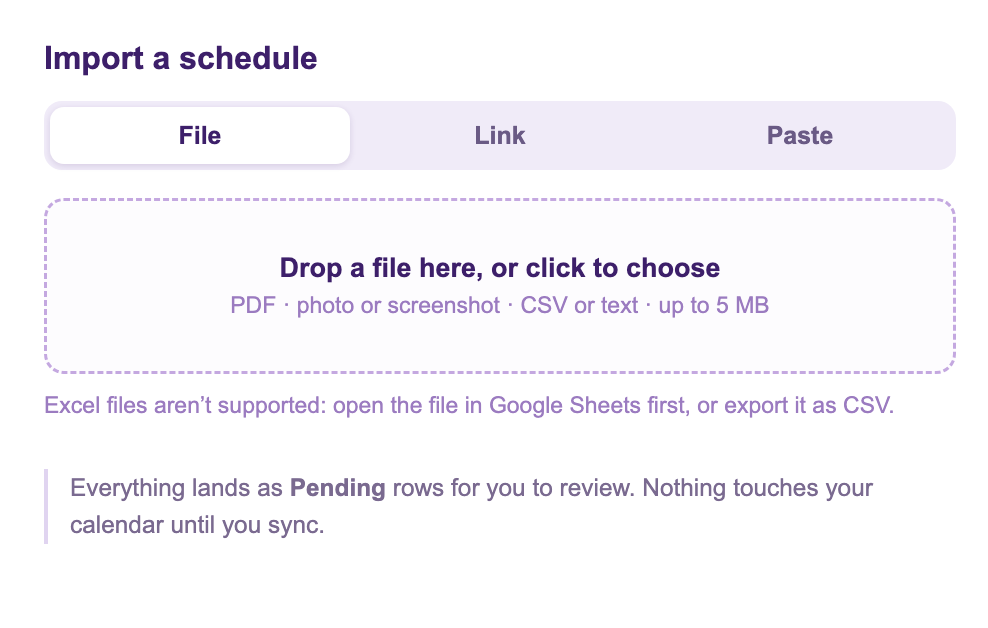
Calendar Sync for Sheets™ is a free Google Workspace Marketplace™ add-on, built and supported by Marinette. Its Add from Schedule feature has a Paste tab made for exactly this moment:
- In the email, select the schedule part and copy it. Messy formatting is fine: tables, lists, and plain sentences all read.
- In your sheet, choose Add from Schedule, open the Paste tab, and paste.
- Every event arrives as a Pending row, with plain notes on anything the importer had to guess: a missing year, an end time that was not given.
- Check the rows, fix anything, then run Preview & Sync. That is the step that puts them on your calendar.
Worth saying plainly: nothing connects to your email. You copy, you paste, and the only text that is ever read is the text you chose. If the schedule came as an attachment instead, a PDF or a photo, save it and drop it on the same feature's File tab.
When next week's email changes everything
Schedules that arrive by email tend to keep arriving by email: the revised season, the swapped shift. This is where the sheet earns its keep: the rows stay connected to their calendar events, so a change is a one-cell edit and a sync, not a fresh import. And if an event gets edited directly on the calendar, its row turns blue and says so, instead of being silently overwritten.
Honest limits
- Add from Schedule is in free preview, up to three schedules a day, and one paste can carry a whole season.
- Prefer nothing installed? The free web converter takes the same pasted text in the browser.