What Google gives you: one event at a time
Google Docs™ has a built-in bridge to Calendar: type @calendar event draft in the Doc and an event-draft block appears. Fill in the title and time, send it to Google Calendar™, and save. It is genuinely handy for one meeting. Two catches: it drafts one event per block, and Google's help notes the feature is not available for personal Google accounts. For a season of practices or a semester of due dates, one at a time is the slow way.
The whole schedule at once: paste the Doc's link
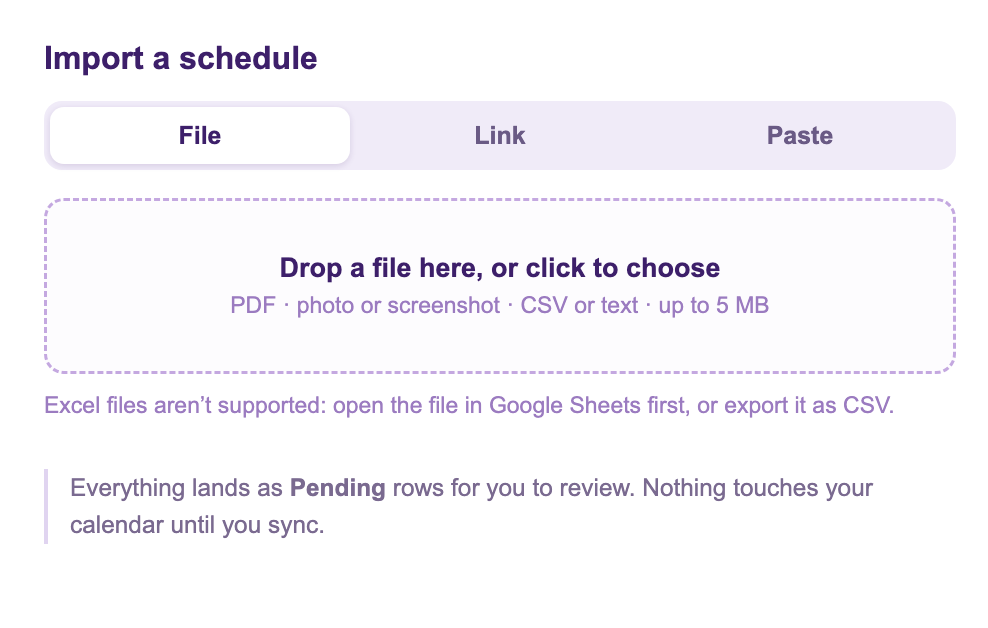
Calendar Sync for Sheets™ is a free Google Workspace Marketplace™ add-on, built and supported by Marinette. Its Add from Schedule feature has a Link tab that understands Google Docs™ links specifically: it fetches the document's text rather than the editing page, reads the schedule, and writes one row per event into a sheet.
- In the Doc, click Share and set General access to Anyone with the link. Skip this and the importer tells you plainly that the Doc is private, rather than failing with a mystery.
- In your sheet, choose Add from Schedule, open the Link tab, and paste the Doc's URL.
- Every event arrives as a Pending row, with plain notes on anything the importer had to guess. Check the rows, then run Preview & Sync. That is the step that puts them on the calendar.
The private-Doc way: copy and paste
If the Doc should stay private, don't share it. Open it, select the schedule, copy, and use the Paste tab instead. The text never needs the Doc to be shared, and the result is identical: rows, notes, review, sync. This is also the fastest route when only part of a long Doc is schedule.
Prefer nothing installed at all? The free web converter takes the same link or pasted text in the browser.
Honest limits
- The import is a snapshot: if the Doc changes next week, the calendar does not follow it. Edit the rows and sync, or import again. Better yet, make the sheet the place the schedule really lives, which is the point of the add-on.
- Add from Schedule is in free preview, up to three schedules a day, and one Doc can carry a whole season.