Minutes are decisions, not a transcript
Nobody expects you to write down what everyone said. Meeting minutes are the official record of what the group decided: what was voted on, how the vote went, and who agreed to do what. Once somebody tells you that, writing them gets a lot smaller than it looked. You're not a stenographer. You're the person who catches the decisions as they land.
Before the meeting: how to prepare
- Ask the chair what's on the agenda, then send it out with the date, time, and place.
- Bring last meeting's minutes. Approving them is usually the first item of business.
- Have your minutes template ready to fill, printed or open on your laptop. Starting from a blank page mid-meeting is how things get missed.
During the meeting: what to write down
- The start time and who is present. That's the attendance and the quorum check, and it goes at the top.
- That the previous minutes were approved, with any corrections.
- Every motion, with the five things below.
- Who agreed to do what, and by when. The action items are half the reason anyone reads the minutes later.
- The time you adjourn. That's the last line.
The five things to record for every motion
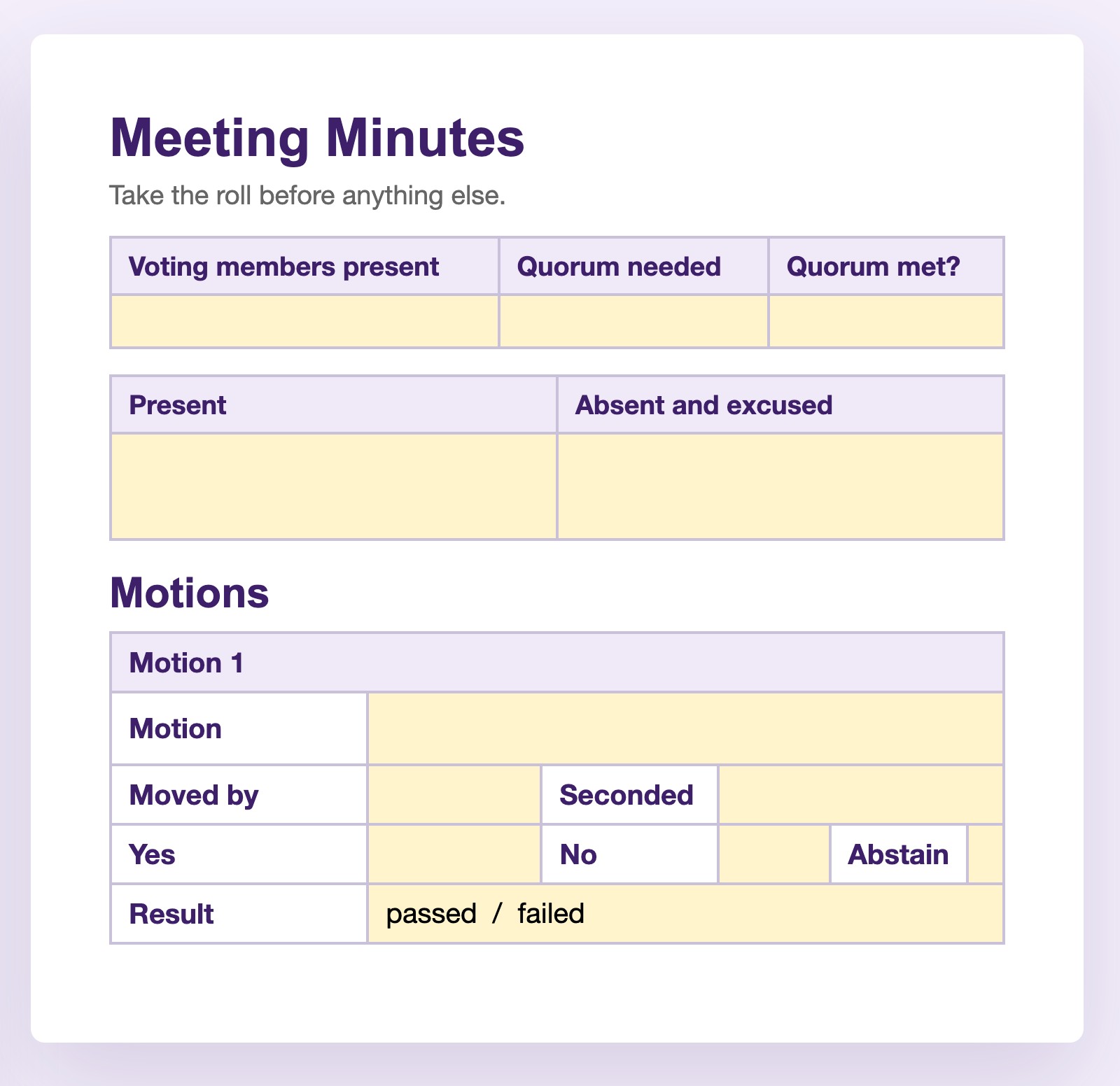
A motion takes about fifteen seconds in the room. Someone moves it, someone seconds it, hands go up, and everyone has moved on while you're still writing. Catch these five, in this order:
- The wording. "I move that we…" Write it as it was said, not tidied up.
- Who moved it.
- Who seconded it. No second means the motion dies and no vote happens.
- The count. Yes, no, abstain.
- Passed or failed. A tie fails.
And the first motion of the night is often yours: approving last meeting's minutes. You move it, somebody seconds it, and you write yourself down, which feels strange exactly once.
This is what a template earns its keep on. In the Secretary Kit, each of the five has its own prefilled box, so mid-meeting you fill in blanks instead of remembering a list.
After the meeting: writing up the minutes
Finish the minutes within a day or two, while the meeting is still fresh in your head. Send the draft to the chair first and ask for feedback, then send it to the board for their review. And relax about mistakes: minutes aren't official until the board approves them at the next meeting, so a correction is a routine agenda item, not a confession. If you missed something in the room, ask right then ("Sorry, who seconded that?" is a normal sentence and every board has heard it), or ask the chair afterward.
What the finished minutes include
- Organization name, meeting date, place, and type (regular or special)
- Start time, who attended, and whether quorum was met
- That the previous minutes were approved, with any corrections
- Each motion: wording, mover, seconder, count, passed or failed
- Action items: who agreed to do what, and by when
- The time of adjournment, and your name as the recorder
That list is the whole job. If every line is there, your minutes are complete, and nobody will ever ask you for the parts you left out.