See it work
Print it, type it, or let it count
The same job three ways: the printable pages, the Google Doc™, and the sheet that keeps the count.
Secretary Kit · For PTA, PTO, HOA, Booster Club & Nonprofit Boards
You were voted in, not trained. A motion takes about fifteen seconds: someone moves it, someone seconds it, hands go up, and the room has already moved on while you are still writing. So this is the whole job in one download, in whichever form you actually work in.
Get the Secretary Kit on Etsy →Instant digital download · Google Sheets™, a printable binder, a Google Doc™, and a Getting Started guide · One purchase
See it work
The same job three ways: the printable pages, the Google Doc™, and the sheet that keeps the count.
What's inside
If you like paper
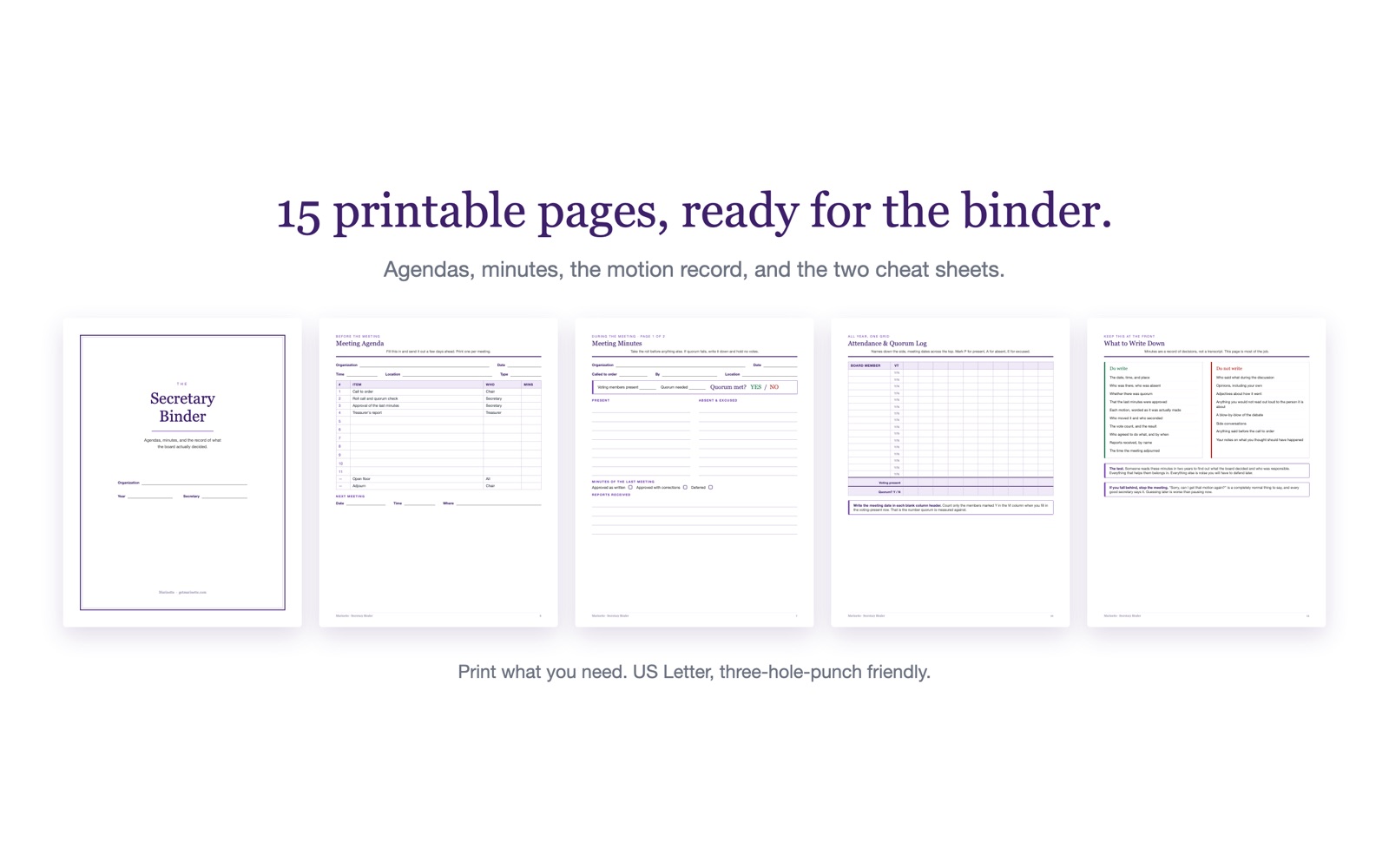
Fifteen pages: the agenda, the minutes, the motion and vote record, the attendance log, the board roster, spine labels, and both cheat sheets. US Letter, ready to three-hole punch. Print only what you need.
If you’d rather type
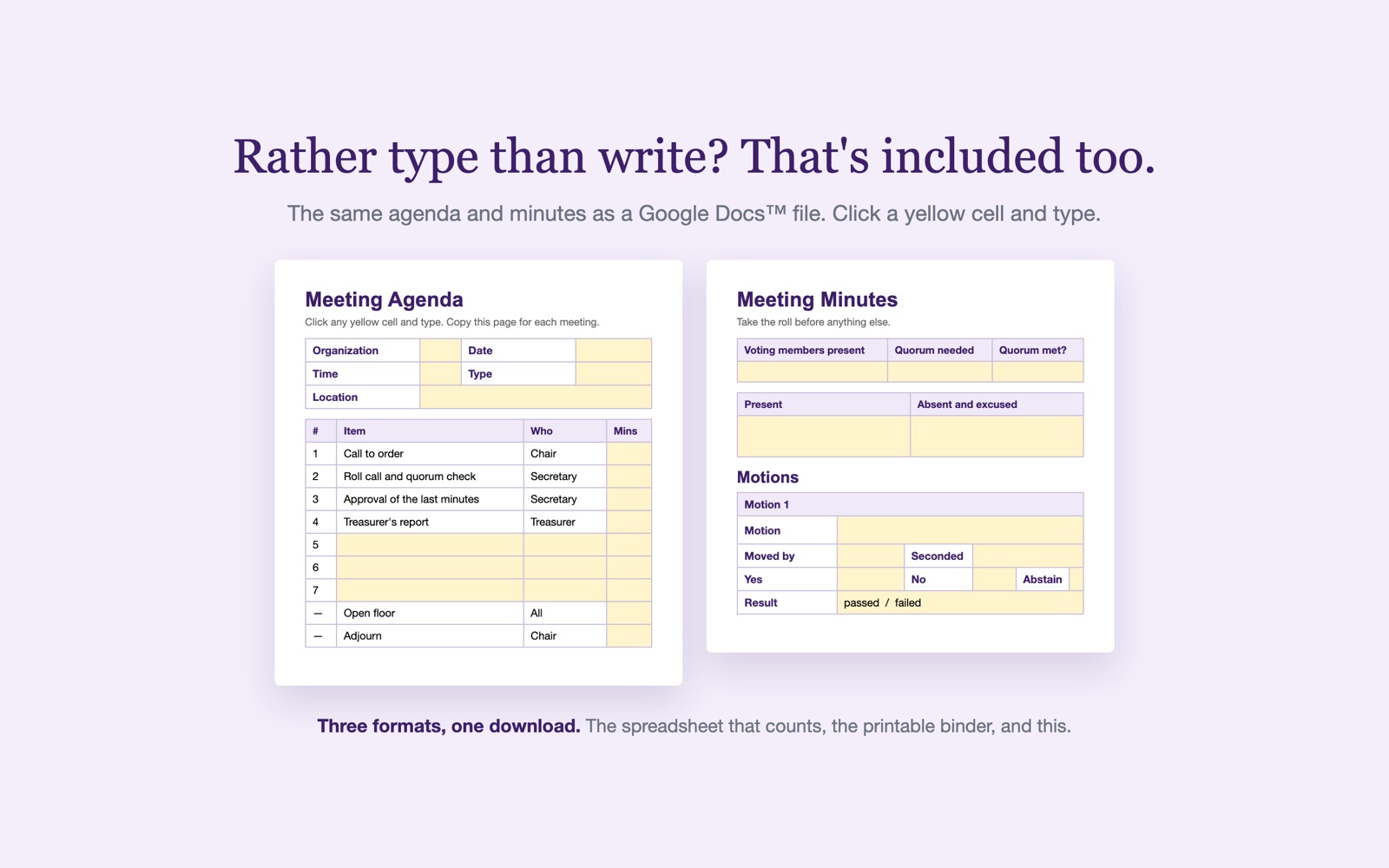
The same agenda and minutes, built on tables rather than fill-in lines, so you click a yellow cell and type and nothing shifts around. Each motion gets its own block with room for the actual wording.
If you want it counted
A Google Sheets™ workbook that keeps the running record. Take attendance and the quorum count, the vote results and the overdue list all look after themselves while you listen.
Every piece of a motion has its own column, so you fill in boxes instead of trying to remember. Type the counts and the result fills itself in. More yes than no passes, a tie fails. A whole year of decisions on one screen.
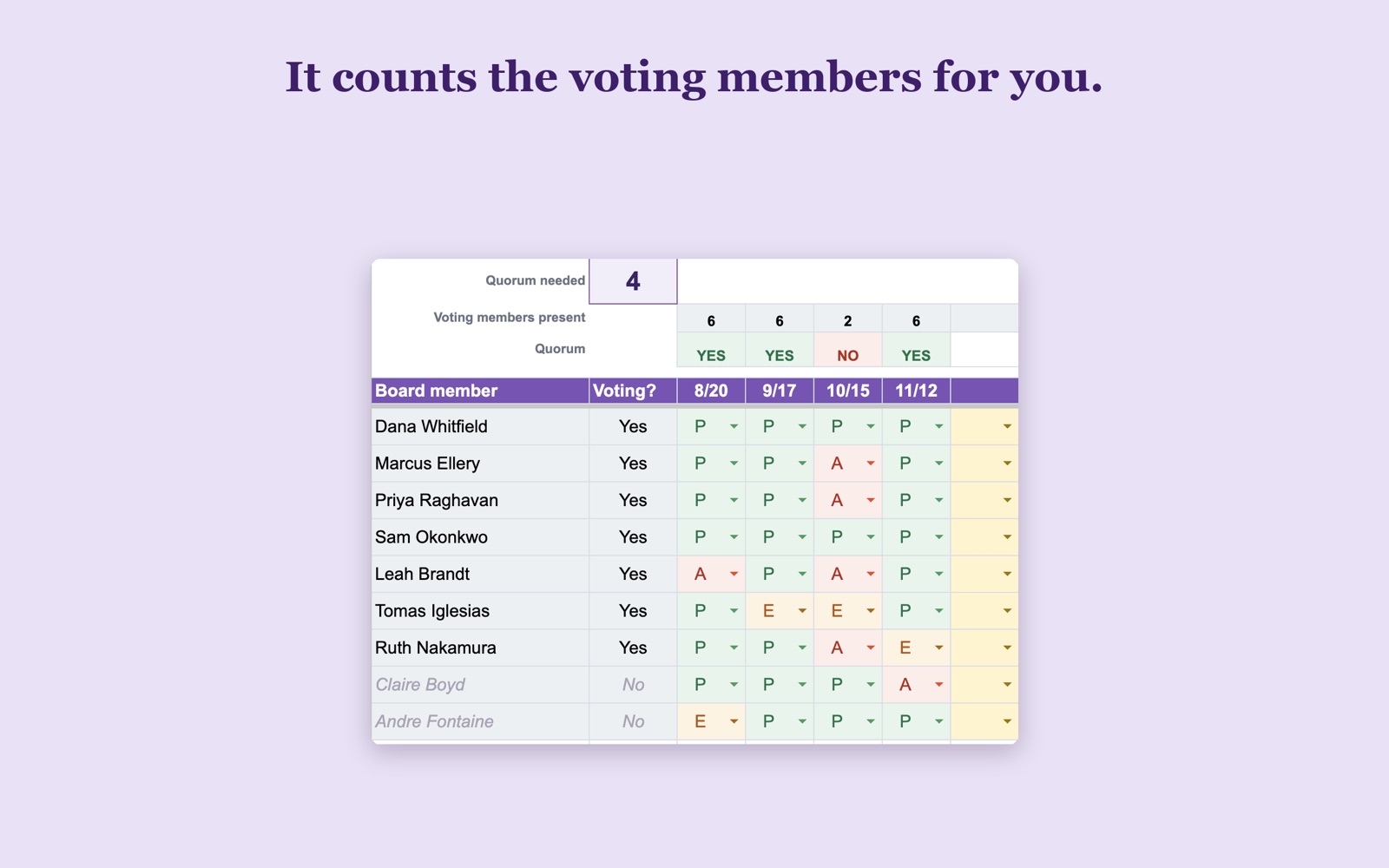
Mark P, A or E for each person. The sheet counts the voting members and says HAVE QUORUM or NO QUORUM before anyone votes. A principal or staff advisor who sits with the board but does not vote is excluded on its own.
A one-page cheat sheet that says plainly what belongs in the minutes and what does not. Who was there, each motion as worded, the vote, who agreed to do what. Not who said what during the discussion.
And the page nobody hands you
A one-page Getting Started guide, kept separate from the binder so you can read it once and keep it beside you. Read it free here, no purchase and no email needed. What happens before, during and after a meeting. The five things to catch when someone makes a motion, in order. The words people will say. And what to do when you realize you missed something, which is the part nobody explains: minutes are only a draft until the board approves them, so a correction is a normal agenda item and not a failure.
How it works
Instant digital download. Nothing ships.
Read the one-page guide, then two links make your own private copies in Google Drive.
Then take attendance. The quorum count and the motion results look after themselves.
Questions
Who made this
I did both jobs for a volunteer board, secretary and treasurer, and nobody handed me any of this. That is the entire reason the kit exists, and why there is a getting-started page in it at all.
If something in it does not make sense, message me. I am one person, not a storefront, and I answer.
“Very helpful and responsive to messages, too!”
Natalie · Etsy review of the Treasurer Spreadsheet“Low cost, excellent product, and great customer service.”
Verified buyer · Etsy review of the Treasurer BinderInstant download · Questions first? Email me. I'm a real person and I answer.
Get the Secretary Kit on Etsy →Wish it did something it doesn't? Tell me what's missing. Those emails decide what I build next.
Looking after the money too? The Treasurer Spreadsheet runs the whole year's budget and report, the Treasurer Binder holds the paper side, and the Membership Tracker answers who has paid their dues. Running the whole thing? The President Binder is the president's side of the same board.