The CSV import problem
If Calendar keeps refusing your file, or it took the file once and now nothing you fix in the spreadsheet ever reaches your calendar, the file is usually not the real problem. Import was built to move a calendar out of Outlook or Apple Calendar one time, not to keep step with a spreadsheet you're still editing. Those are two different jobs, and Calendar Sync for Sheets™ was built for the second one.
The fix · from Marinette
Calendar Sync for Sheets™
Install free from the Marketplace →No account to create · No website login · Your data stays in your Google account
Google publishes these in its own import documentation. Most spreadsheets fail on the first three without ever saying which one.
Google Calendar Help · Fix problems importing
"Unable to process your iCal/CSV file"
Google Calendar Help · Fix problems importing
"Google Calendar is temporarily unavailable"
Google Calendar Help · Fix problems importing
"Processed zero events"
There are quieter rules underneath those. Google states that import expects files created by major calendar applications such as Microsoft Outlook, Apple Calendar, and Yahoo Calendar, so a spreadsheet you built yourself has to imitate one: Subject and Start Date columns at minimum, dates written in the American order, and no stray text where a time belongs. Google also notes that repeating events imported from a .csv file may arrive as a series of one-time events rather than a repeating one.
Clear all of that and the import works. Then the harder problem starts.
The same forty events, one week apart
How duplicates arrive
You export the spreadsheet as CSV and import it. Forty events land on the calendar.
Two of the times move. You fix those two rows in the spreadsheet.
You import the corrected file. The calendar now holds eighty events, not forty.
How Calendar Sync for Sheets™ works
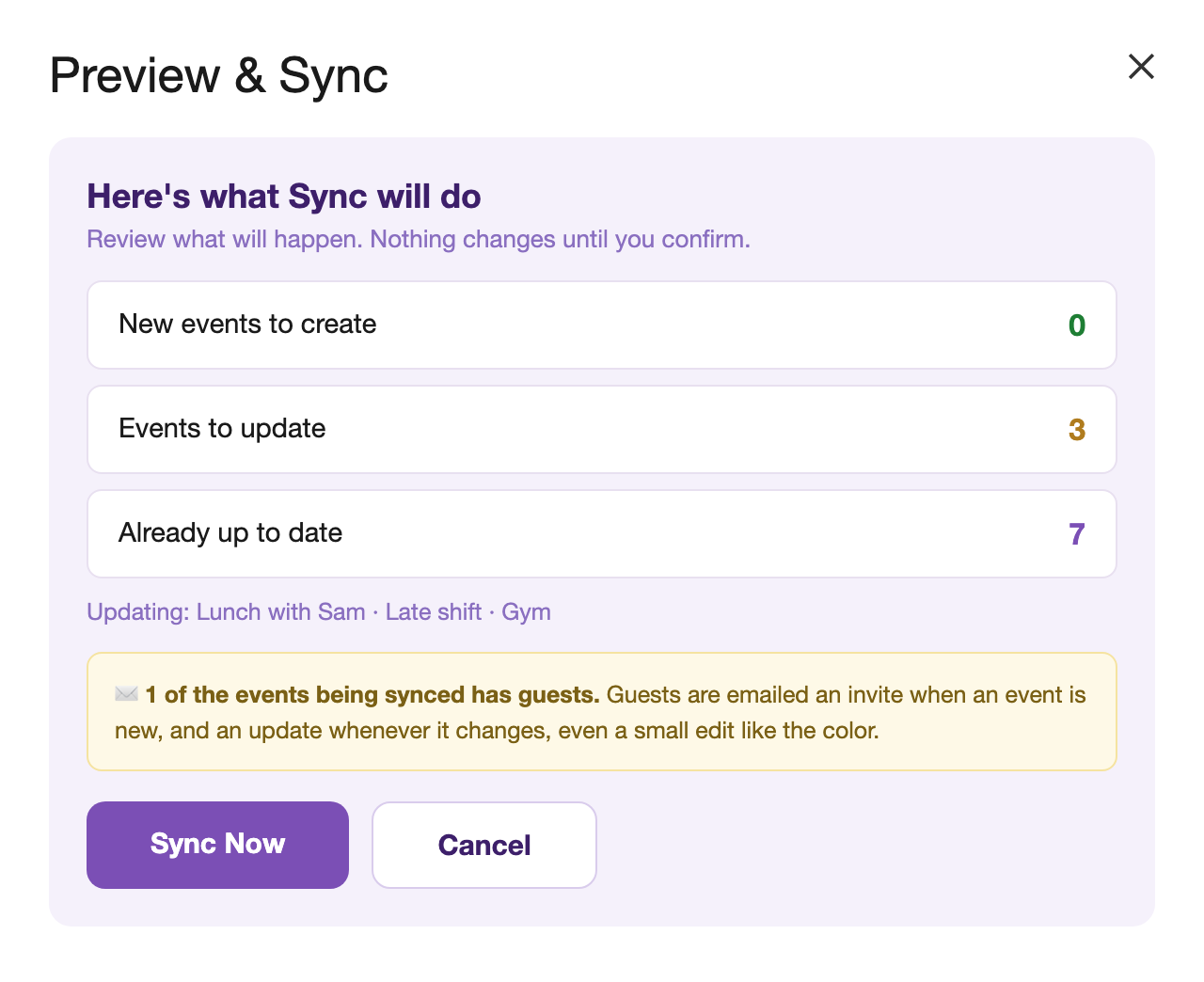
The rows are the source. The preview says forty events to create. You sync.
Two of the times move. You edit the same two rows.
The preview says two events to update and thirty-eight already up to date. The two move in place.
The reason is identity. When one calendar app hands events to another, each event carries a unique id, which is how the receiving calendar can tell "I already have this one" and update it in place. A spreadsheet row has no such id. Every value in the file is just text, so a second import has no way to recognize anything and can only add. That's not a bug in your file, and no amount of reformatting fixes it.
Calendar Sync for Sheets™ works the other way around. Each row is given its own sync identity the first time it becomes an event, and the row keeps it. Edit the row and sync again and the same event moves. Delete the row and the event can be removed, with its guests told. If somebody changes the event in Google Calendar instead, the row says so in plain words rather than quietly overwriting the change.
Two neighbors of this problem have their own pages: if a bad import already happened and the duplicates are sitting on your calendar, how to undo a Google Calendar import, and for changing many existing events at once, how to bulk edit Google Calendar events.
Side by side
| Importing a CSV file | Calendar Sync for Sheets™ | |
|---|---|---|
| Getting events in | A file that has to match Calendar's format rules | ✓ Rows in your own sheet, no file to export |
| Fixing a time afterwards | Re-importing adds a second copy of every event | ✓ The row updates its own event in place |
| Knowing what will happen | A count afterwards, like "Processed 12 of 40 events" | ✓ A preview first: what gets created, updated, and who gets emailed |
| Events changed in Calendar | Nothing connects them back to the file | ✓ The row says so instead of silently overwriting |
| File size | One megabyte or smaller | ✓ No file involved |
| Events already on your calendar | Import does not bring them back out | ✓ Pull them into the sheet for a date window you choose |
| Price | Free | ✓ Free. No caps, no card, no account |
The import column reflects Google's own documentation, Import events to Google Calendar and Fix problems importing, viewed July 24, 2026.
Calendar Sync for Sheets™ is free. No card, no account to create.
Install Calendar Sync for Sheets™ free →FAQ
Almost always a format problem rather than a broken calendar. Google's import help lists the rules that trip up hand-built files: fields separated by commas rather than semicolons or colons, a file of one megabyte or smaller, and a file of the kind produced by major calendar applications such as Microsoft Outlook, Apple Calendar, and Yahoo Calendar. A spreadsheet saved as CSV isn't one of those, so it has to imitate one exactly, starting with Subject and Start Date columns and dates written in the American order.
Calendar Sync for Sheets™ skips those rules entirely: it creates events straight from the rows, and its Add from Schedule feature reads a CSV file directly, with no required columns at all, so there is no format to get wrong.
Google's help page notes that this error also appears if you click the Import button more than once. The first click imported the events and the second found nothing new to process. Check the calendar before trying again, because the events are usually already sitting there.
No. An import is a one-time copy and nothing links those events back to the file they came from. Importing a corrected CSV adds a second copy of every event rather than updating the first, because a CSV row carries no unique event id for Calendar to recognize. Calendar-to-calendar .ics files do carry that id, which is why they can update.
Calendar Sync for Sheets™ gives each row its own sync identity, so editing a row and syncing again moves the event that row already made.
Use the sheet as the source instead of exporting a file. Calendar Sync for Sheets™ turns each row into an event, previews what will be created, updated, or emailed before anything happens, and remembers which event belongs to which row. Sync as often as you like: rows that haven't changed are left alone.
Calendar Sync for Sheets™ creates one event per row, which suits schedules that are typed out row by row. Overnight events work, so 9:00 PM to 1:00 AM ends the next morning. Events longer than a single day don't fit one row yet, and import skips them rather than guessing. Google's own documentation notes that repeating events imported from a .csv file may also arrive as a series of one-time events.
Yes, free to install from the Google Workspace Marketplace™, with no account to create and no website login. Events move between your own spreadsheet and your own calendar inside your Google account, and the optional schedule import sends only the file, link, or text you choose to be read. See the privacy policy for the full details, or the product page for everything it does.
The import behavior described on this page comes from Google's own help pages, Import events to Google Calendar and Fix problems importing, viewed July 24, 2026. Google may change how import works at any time. Related: three ways to sync Google Sheets™ to Google Calendar™ and an emailed schedule → Google Calendar™.
Still have a question? I'm happy to help.
Email support@getmarinette.com